Configuration tool for developers
Led design efforts for launching the MVP
Client
TV2Z
Industry
OTT Provider
Role
Product Designer
Problem
In TV2Z, a leading provider of OTT platforms, we recognised a difficulty in the existing process of presenting these designs poses significant challenges for both internal teams and clients.
When we get a new customer, we need to showcase customized platform designs to clients. The current process, involving manual coding by front-end developers to integrate branding elements provided by clients, is time-consuming and effort-intensive.
Scope of the Solution:
Let's not involve front-end developers in the process to show demo screens to the new customers.
Reusable Dynamic branding options including color customization and logo upload across all the devices with all types of themes.
Instant JSON code generation for seamless integration into the development workflow.
Providing access for clients to modify the white-label design and effortlessly share changes with stakeholders reduces confusion and speeds up revisions.
Incorporate prototype testing capabilities for customized designs across various devices and screen sizes.
Research
Whenever we onboard multiple new customers simultaneously, we often encounter delays in delivering demo screens showcasing our OTT platform tailored to their branding. Upon investigation, I identified a bottleneck in our front-end development process due to limited bandwidth.
Our front-end developers experience significant pressure and difficulty meeting deadlines. Adapting our white-label design to multiple client brandings simultaneously presents a considerable challenge for our development team."
Ideation
Since this is a MVP product and there is no existing design for this, I thought to make a full-fledged application with all the possible features that can lead to the best experience.
User Persona
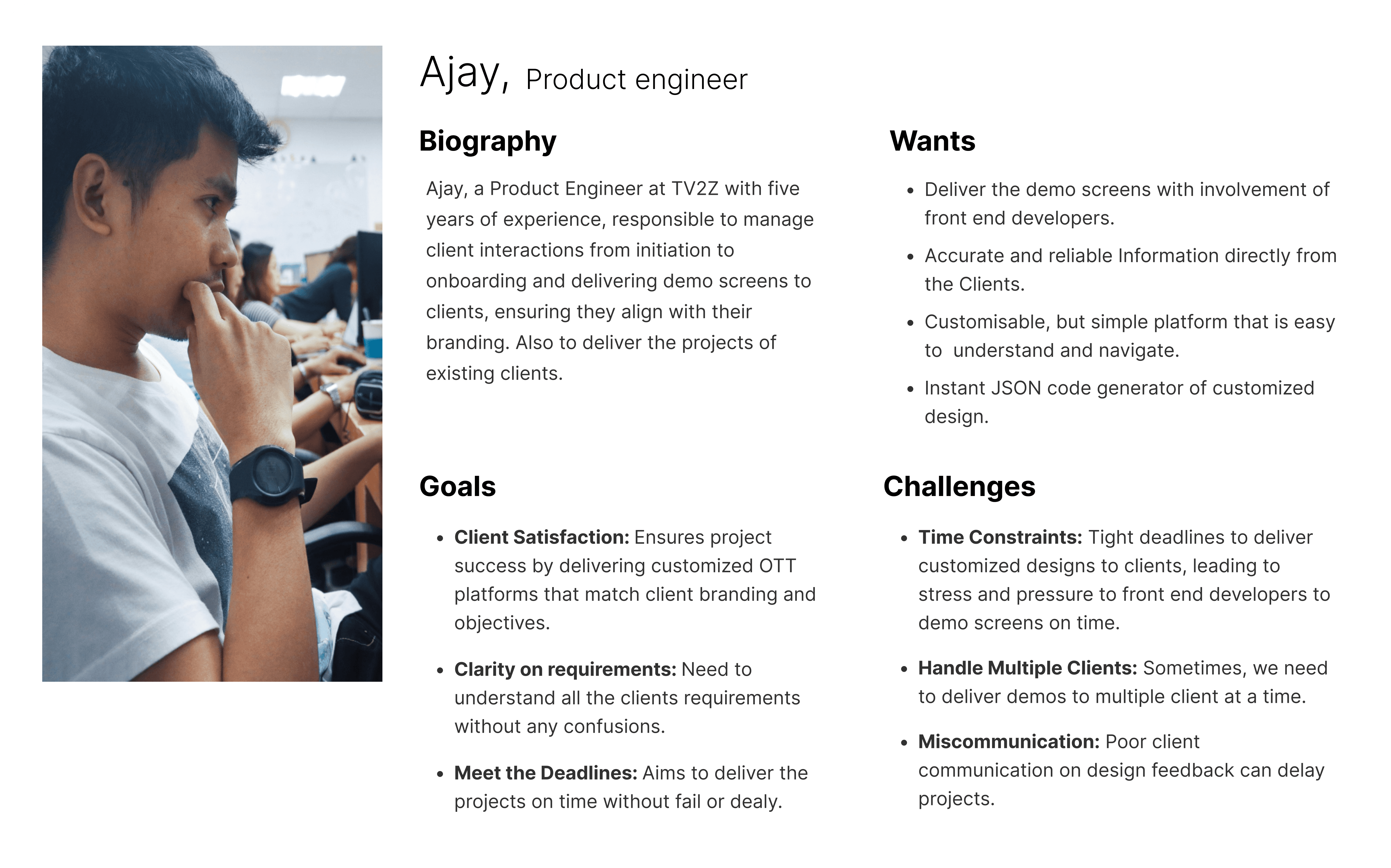
Through Stakeholders conversation I focused on Product team and Front end developers. Developed an persona, made the team align on Goals, wants and needs which helped us establish our usability testing goals.
Information architecture
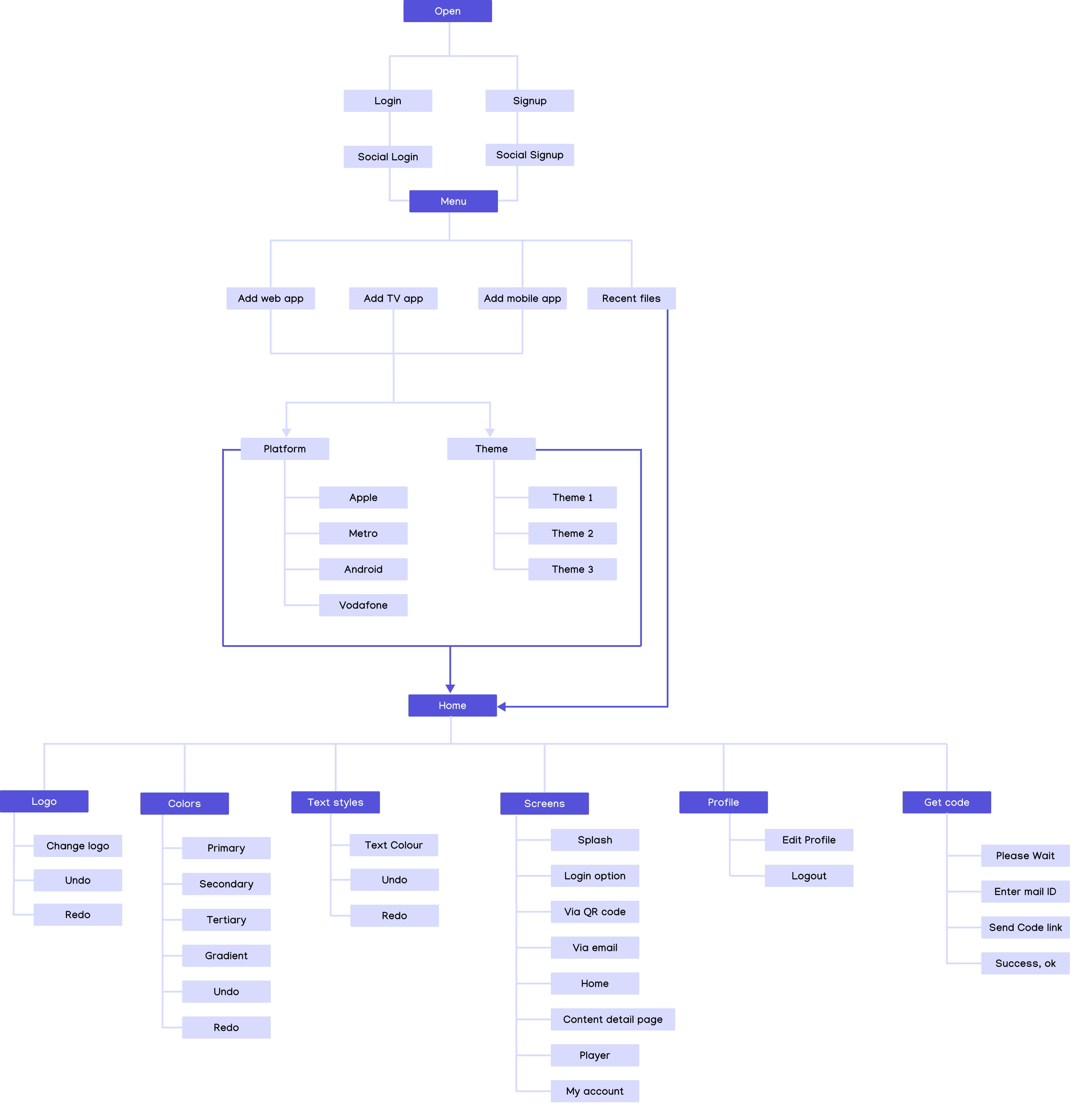
This is exciting part where we bring all our brainstorming ideas, creating a comprehensive information architecture to determine to guide element inclusion, categorization, and hierarchy.
User flow
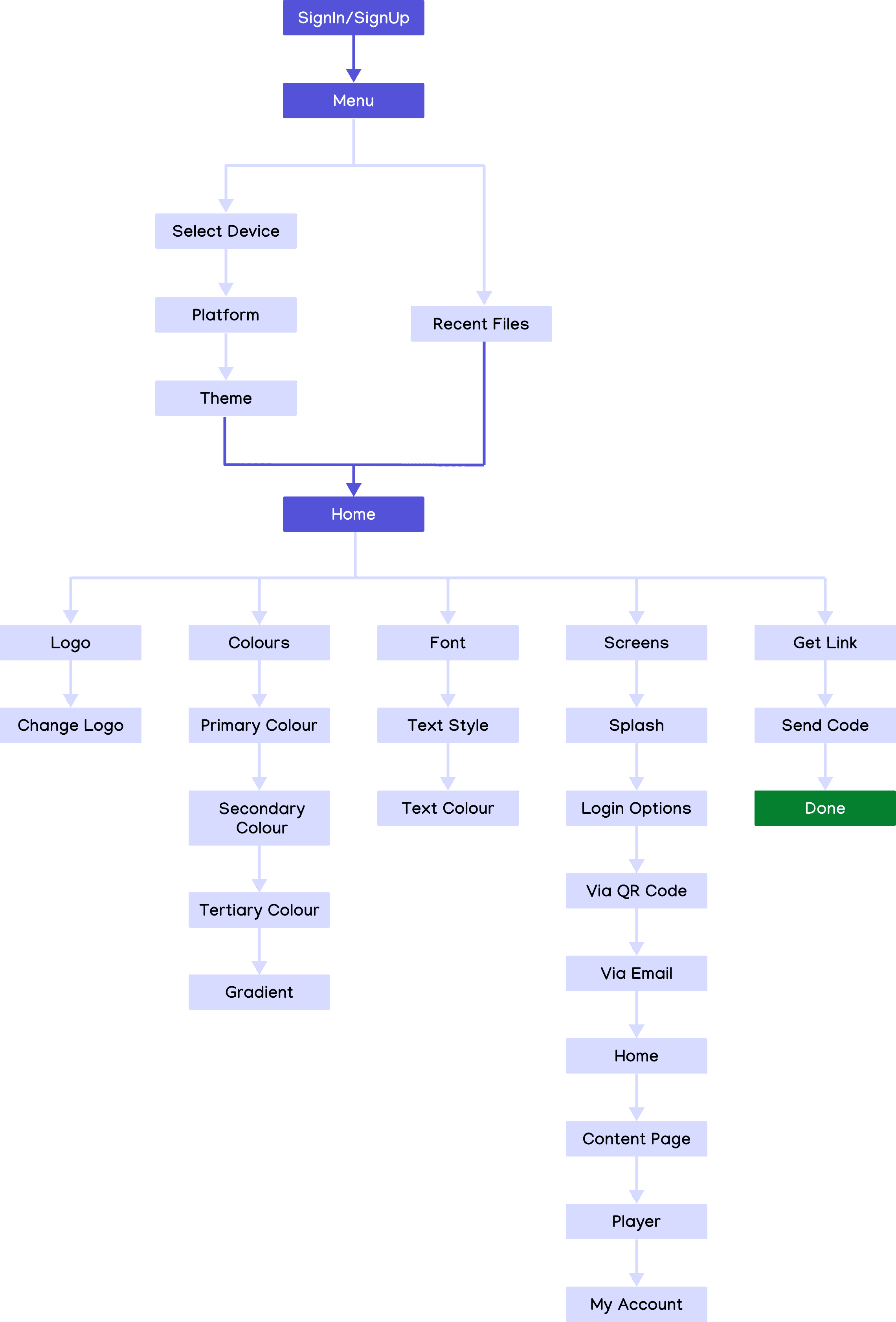
Maintaining clear Navigation and accessibility is crucial when creating user flow as it comes form the user understanding.
In embarking on the User flow, I wanted to make sure this tool should be easily accessible for customer success team and clients as well.
Wireframing
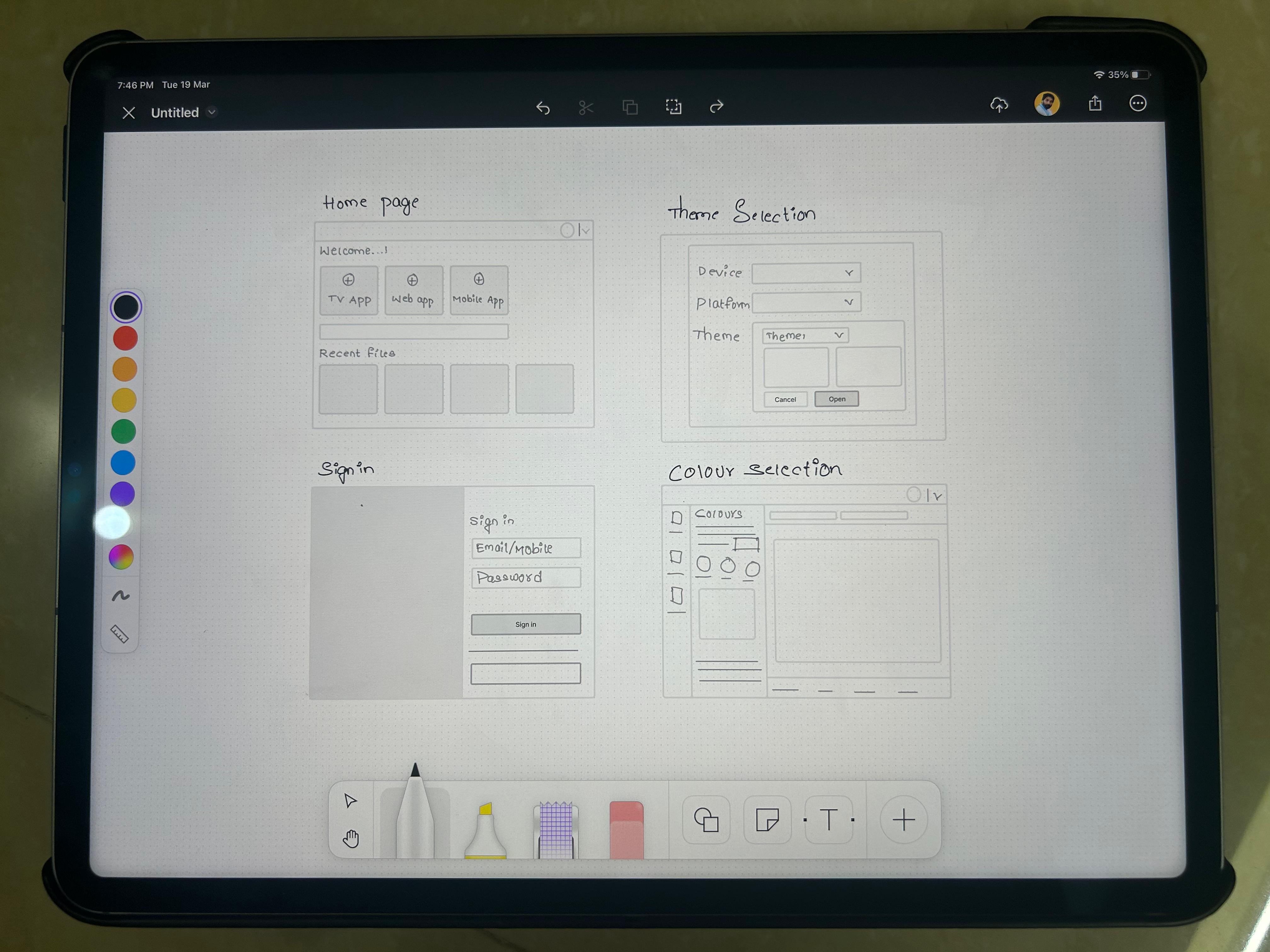
To the most exciting phase, this is the first step for me to turn the concepts into reality. I do some rough sketches initially and then mostly do the larger part on Figma. In this phase my goal is not just to create screen concepts but also to finalize on copywriting as the logic and flow of the application shall be sorted in this phase.
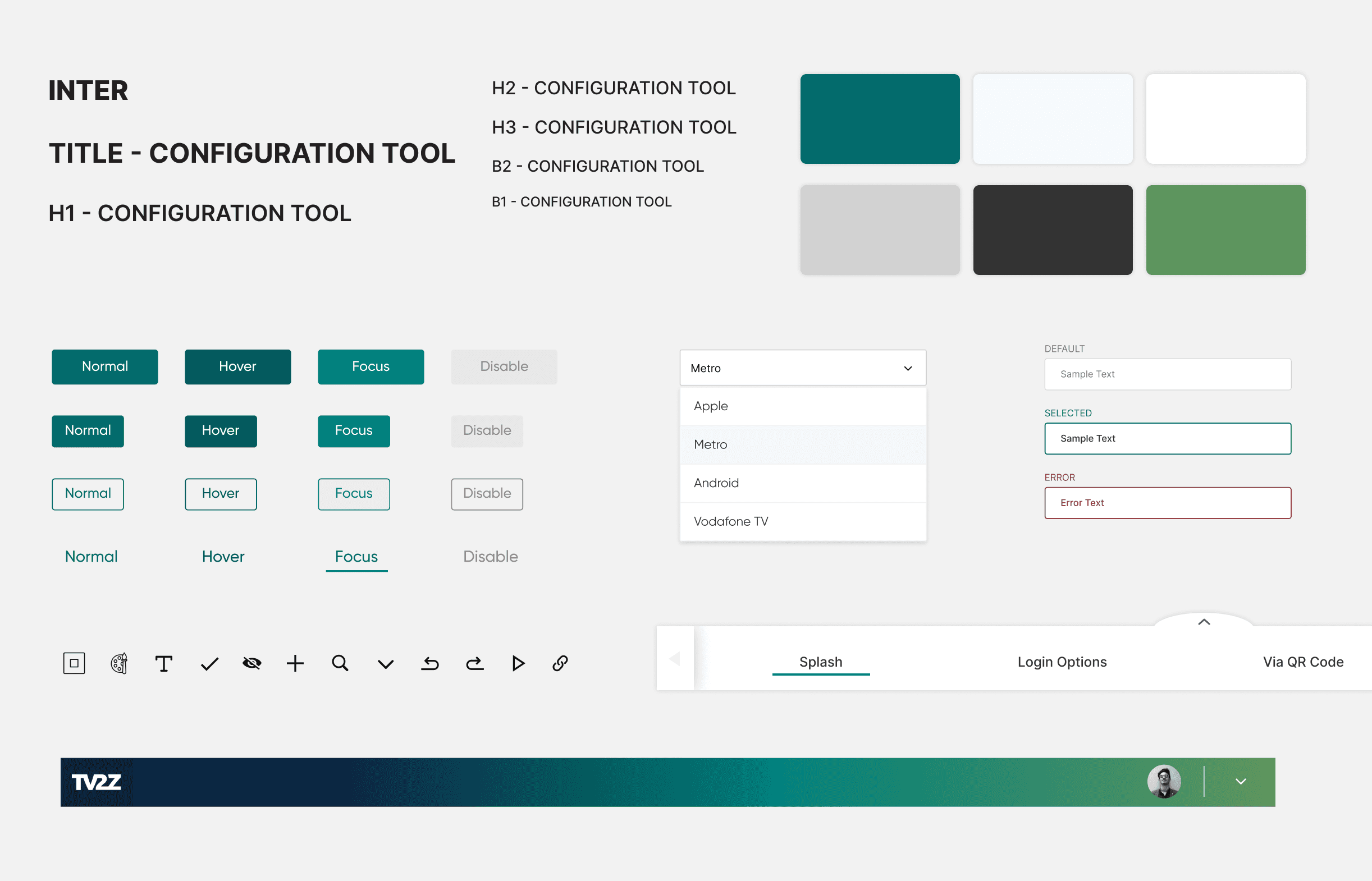
Design system
Created a new design system to be scalable for future use cases, meeting WCAG guidelines and future product features.
Final design
And finally, the most vibrant phase of design is where I try to make the information much more accessible by the use of brand colors, images, effects, etc. These things add depth to the overall design and will make designs more intuitive for the user
In this part of the case study I am going to justify why certain decisions were taken and how will they help users
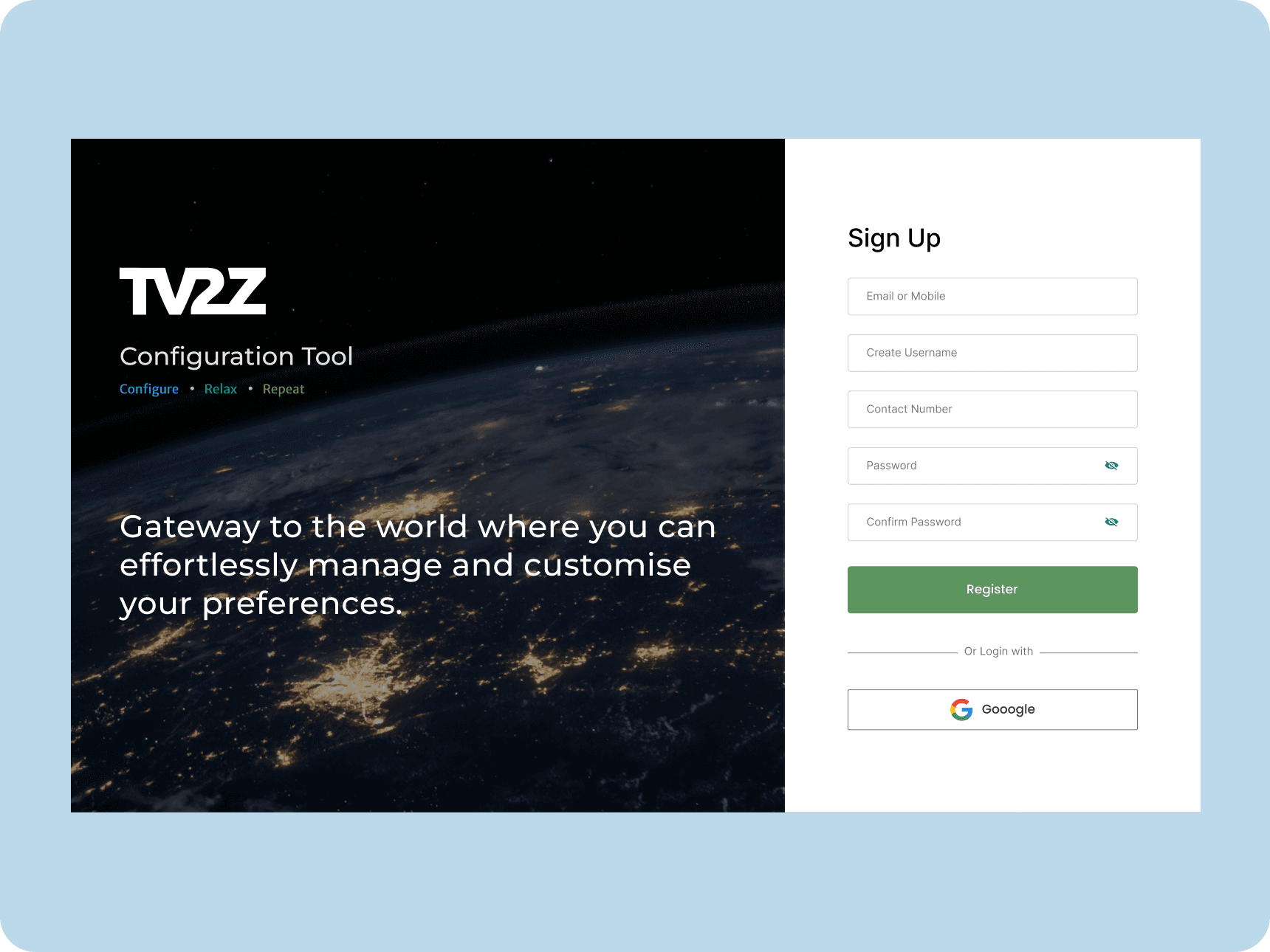
Signup
Gateway to the TV2Z configuration tool.
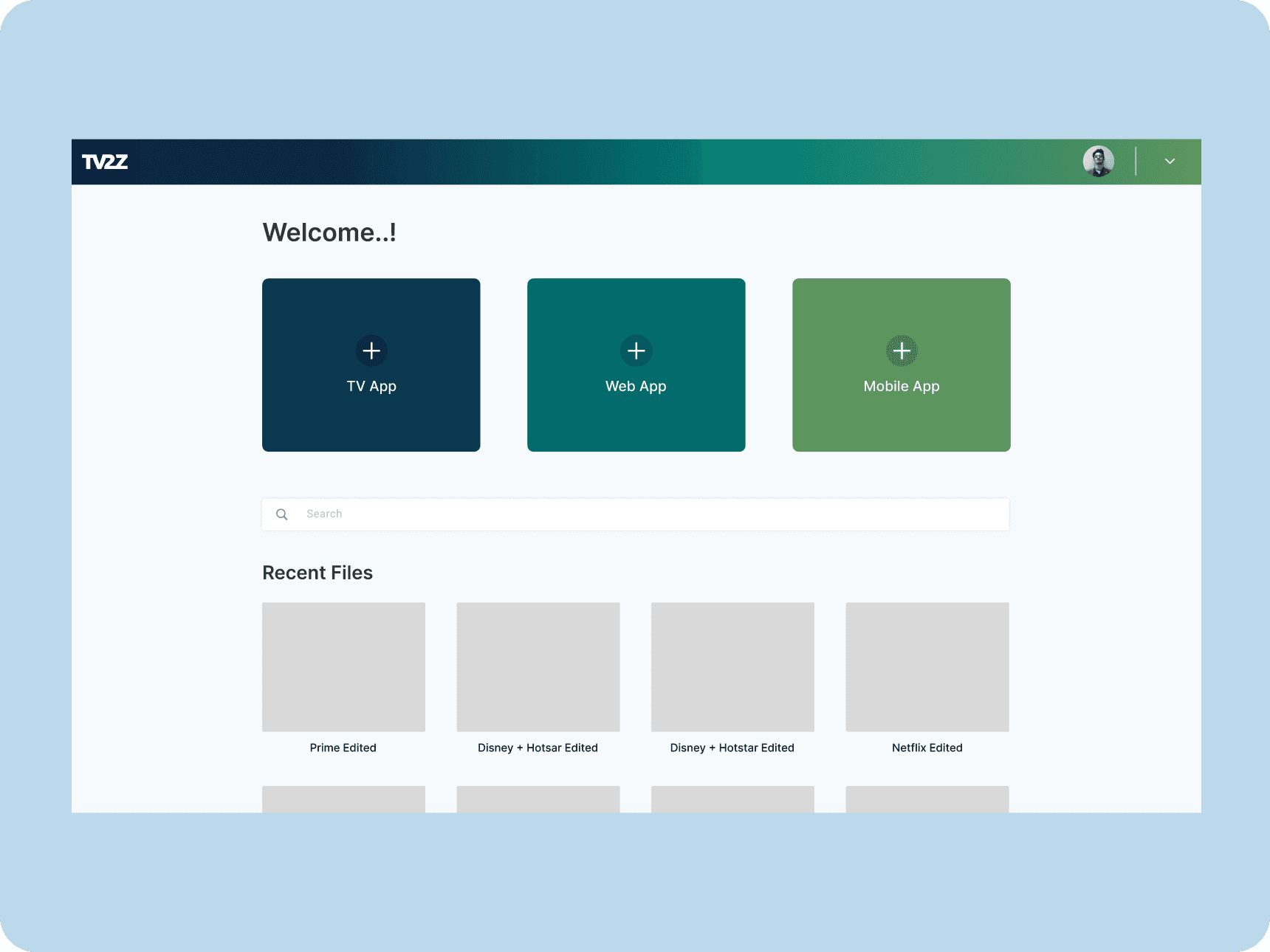
Menu
User can choose type of device and theme.
Logo
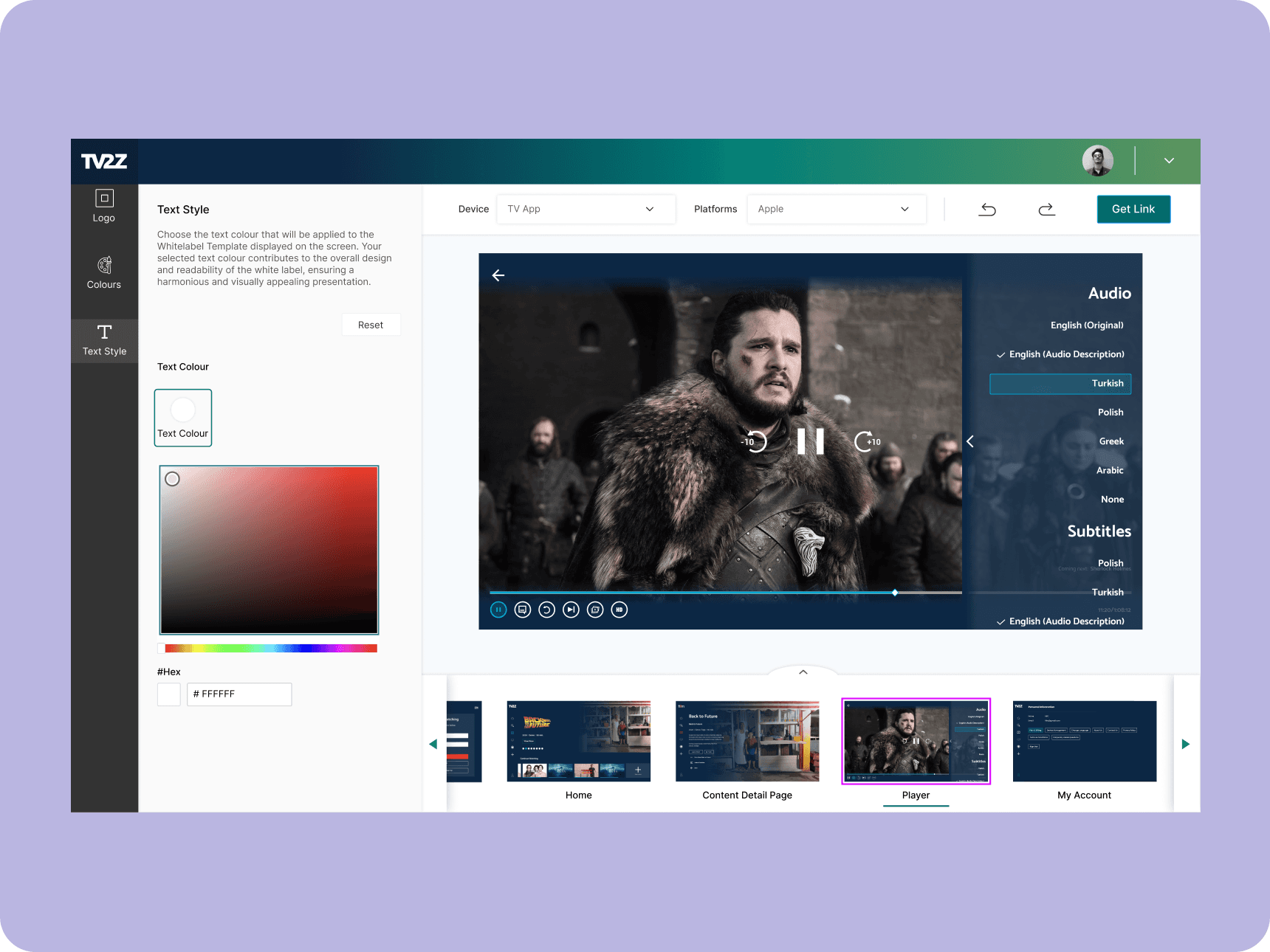
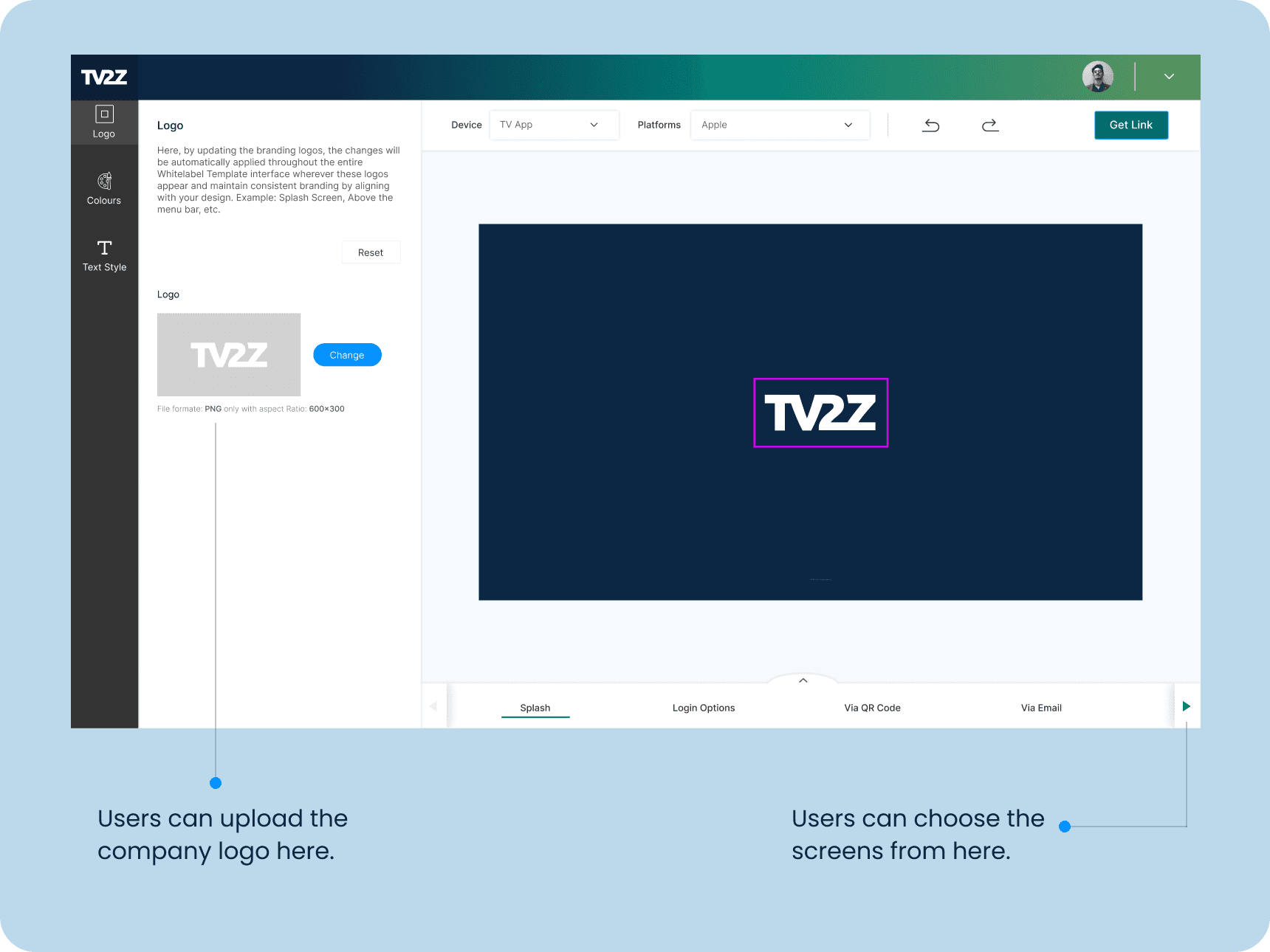
Users can effortlessly upload their company logo and preview all screens for a seamless design experience. They also have access to the JSON code for easy integration and customization, granting full control over the application's appearance and branding, resulting in a tailored and professional outcome.
Colours
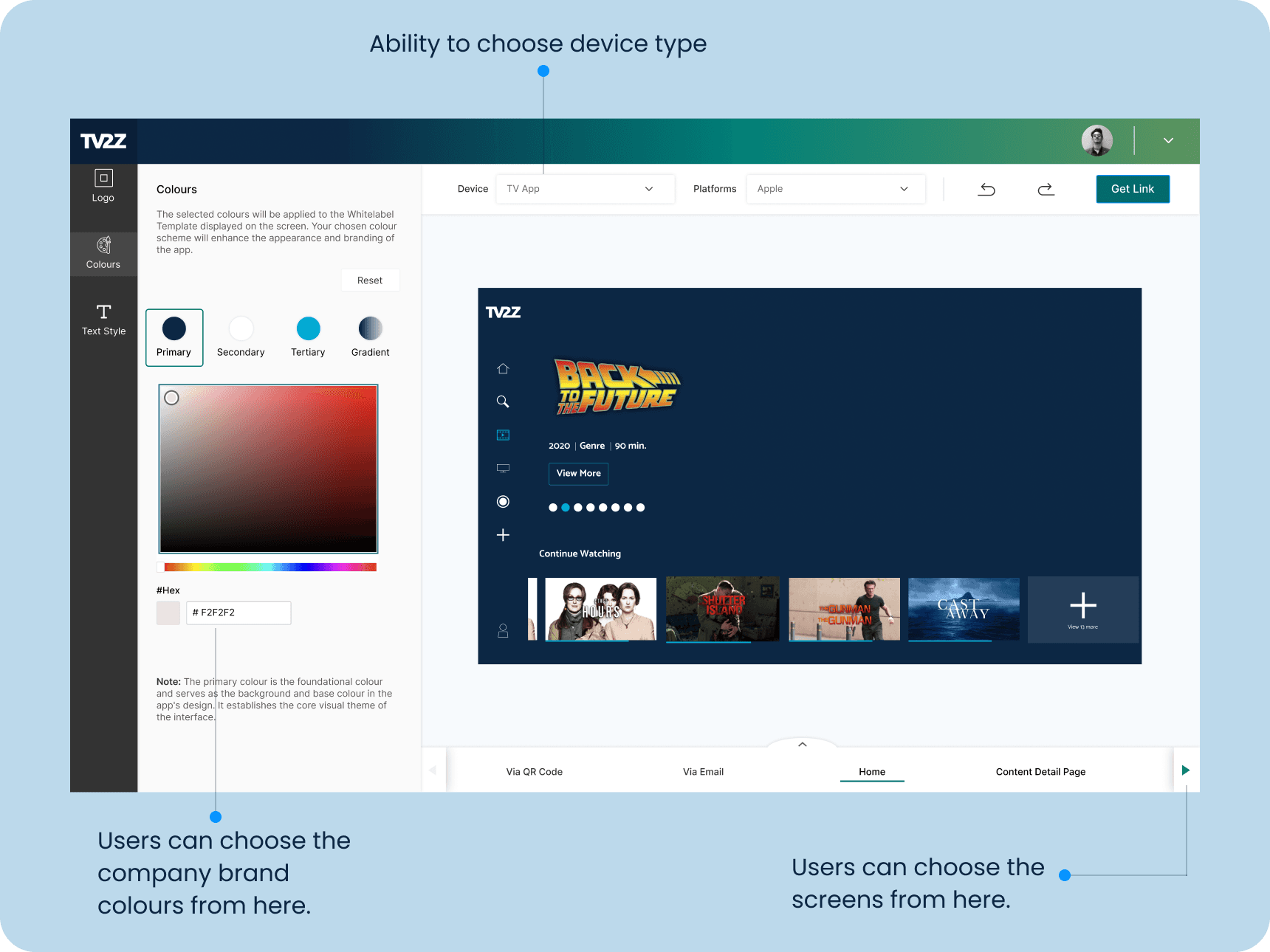
Visitors have the ability to choose primary, secondary, tertiary, and gradient hues, visualize screens reflecting their chosen hues, and modify the type of device. They are also presented with an opportunity to acquire the JSON code, aiding in the flawless fusion and personalization of their selected color palette throughout the software.
Text style
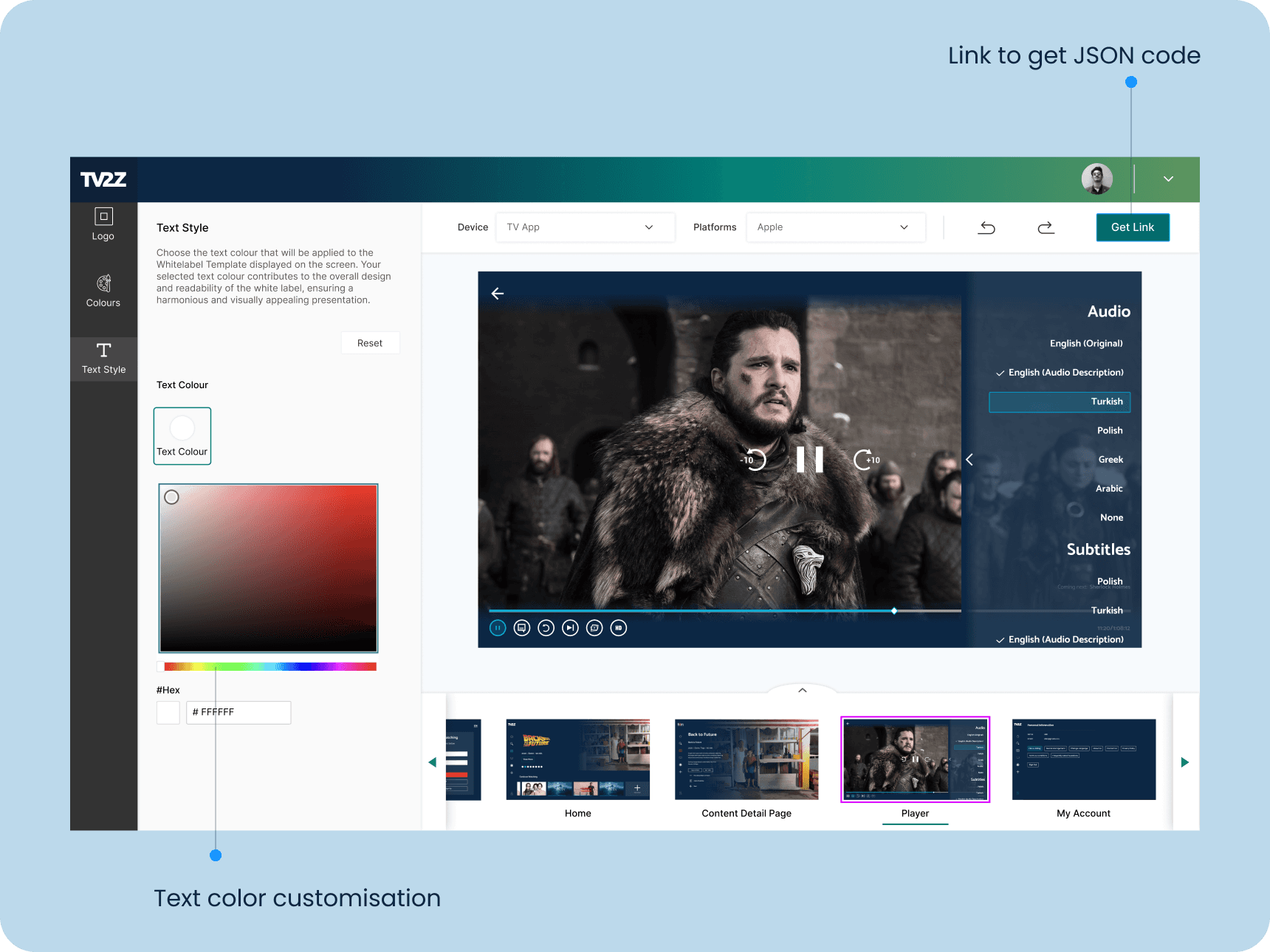
Users can effortlessly choose text colours, preview screen adjustments, and obtain the JSON code. Additionally, they have the functionality to undo and redo changes, ensuring precise customization and ease of use.
Testing in Maze
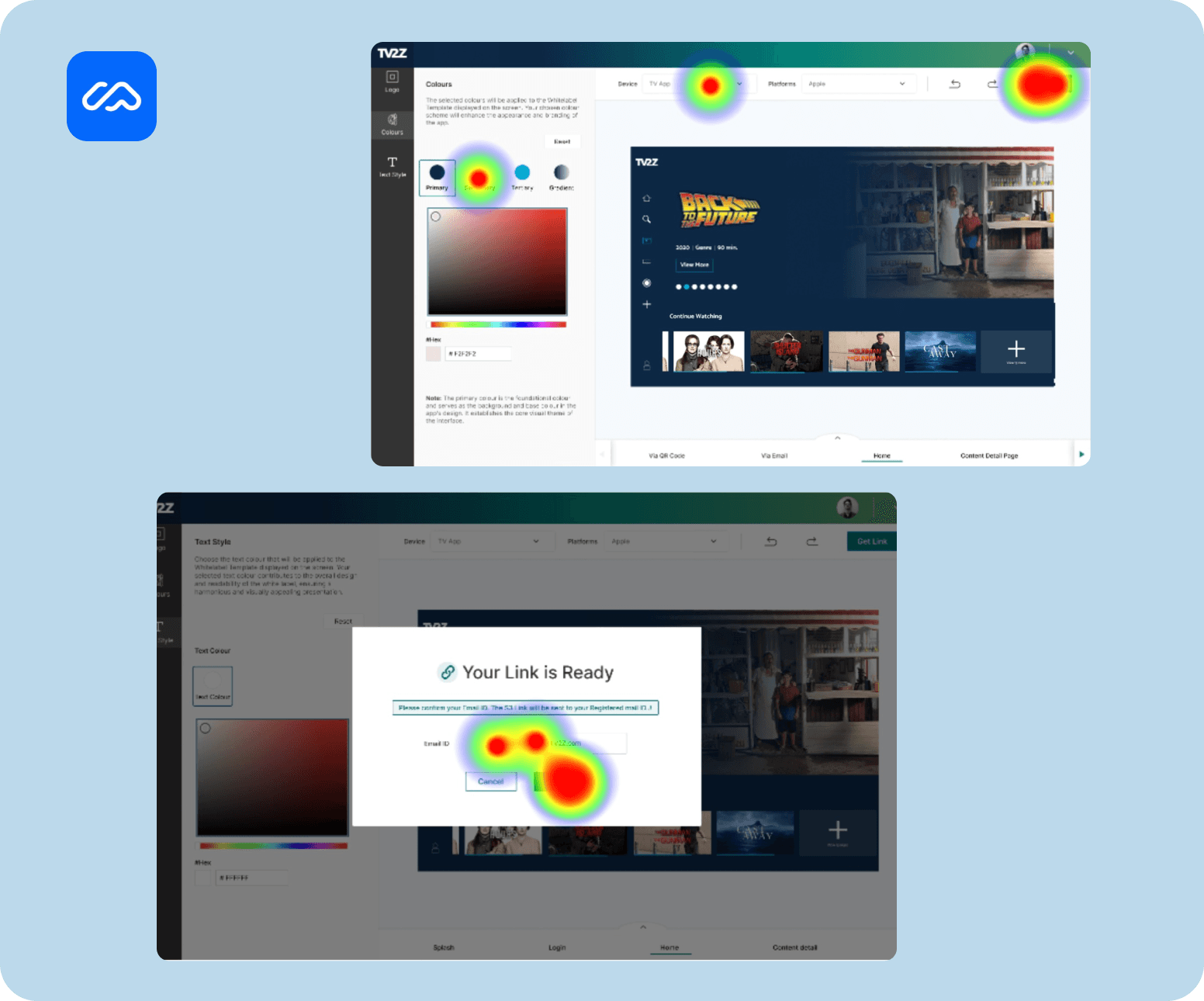
We conducted testing with 14 participants and received valuable feedback that helped us refine the onboarding process:
Easy customisation: Users found the configuration tool to be significantly more intuitive. The average usability score for the configuration tool was 9.5 out of 10.
Overall User Experience: Participants rated the overall user experience of the new design as 10 out of 10. They commented positively on the aesthetics, intuitiveness, and ease of use of the new design.
Learnings
First thing, By breaking down the challanges and design process into smaller, manageable iterations, teams can identify and address potential issues and challenges early on.
Technically, this project allowed us to explore the engineering and product teams contributions very well. Working together across departments like design, development, and marketing fuels innovation by tapping into different skills and viewpoints for solving problems. I learned that even small changes can significantly improve the user experience if they address the right problems.
Team: I would like to give credit to my team, who helped make my vision possible: Karthik (Frontend Developer ), Vijay (Director of Engineering) and Nishitha (Product designer)
I am always happy to discuss new ideas and opportunities.
Crafted with love by Sai vamshi