CMS Revamp at TV2Z
Transformed TV2Z's CMS for contemporary appeal
Client
TV2Z
Industry
OTT Provider
Role
Product Designer
Since 2016, TV2Z Content Management System (CMS) experience has not been changed. we identified an opportunity to overhaul our CMS to better cater to our Users. The central challenge was user churn is getting increased and clients haven't shown interest in standalone CMS offerings, signalling a need to revamp our user experience to increase the user engagement and to acquire new clients.
As the Product Designer at TV2Z, I led an initiative to transform our onboarding process into a dynamic and interactive experience. I've started to ideate on ‘Rules and regulation’ for CMS, Tested and performed Heuristic evaluation for the whole platform.
Contributions
Interviewed clients and stakeholders (Project manager, Director & CEO).
Conducted secondary research and documented key players.
Planned usability testing with KPI's.
Re-organised the Information Architecture.
Collaborated to craft mid and high-fi prototypes.
Introduced the design system, standardizing principles and elevating user experiences across the platform along with documentation.
Result
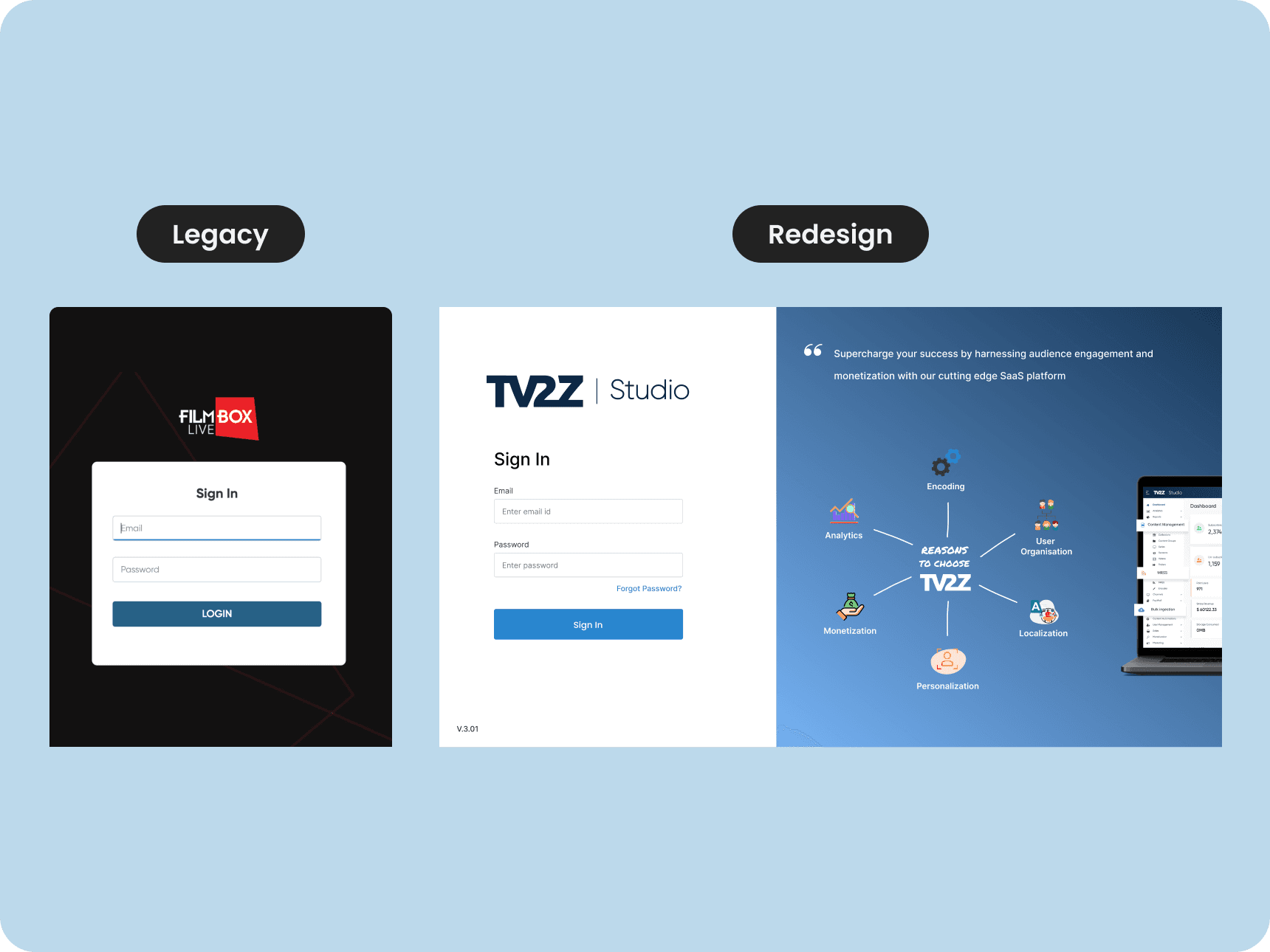
80% of testing users found the redesigned CMS more intuitive and user-friendly, making navigation easier.
For the first time in the TV2Z history, we got new client to take CMS services without core services.
90% of testing users felt more engaged while uploading the new content due to interactive elements.
65% of users felt helpful with the newly added tool tips.
100% of testing users were more satisfied with their user experience on the redesigned CMS.
Research
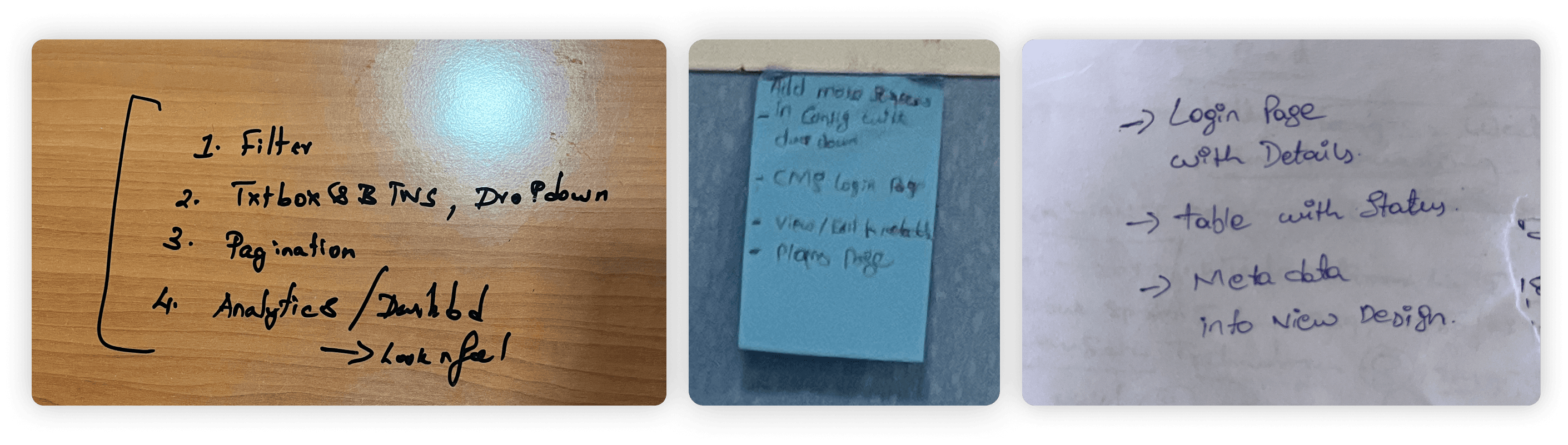
Before we started designing, I deep dive into existing behavioral and purchase data of our users to understand them better and noted down the pain points from the client and stakeholders interviews.
Pain Points
"Felt existing CMS interface was outdated and not so user-friendly"
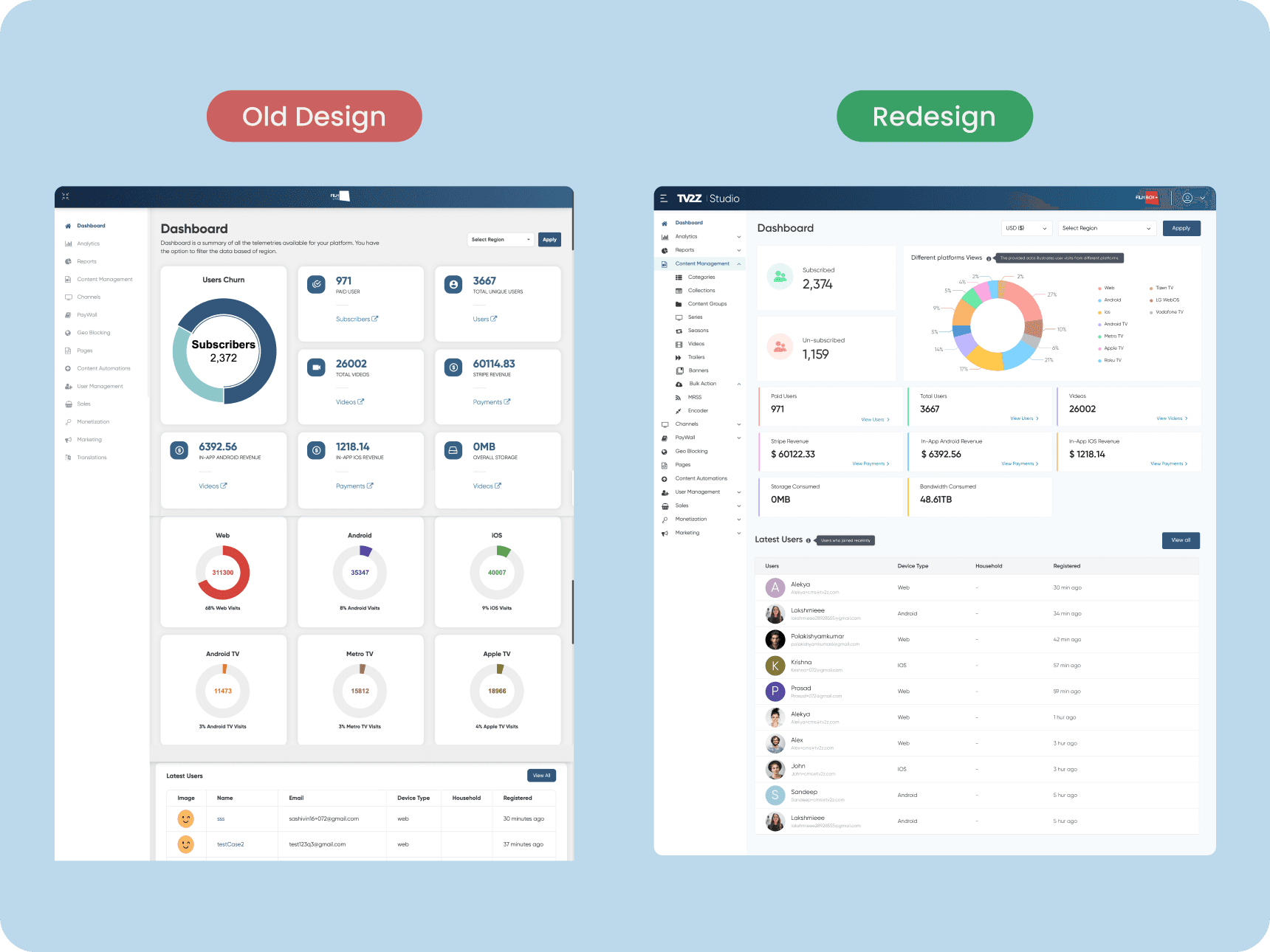
"The dashboard looks more cluttered and the graphs are confusing and difficult to understand and recognise"
"I don't understand the purpose of providing so many pai charts on dashboard."
"Navigating uploaded files and finding them again is challenging. It's difficult to remember where I left off."
"It's confusing to locate specific features."
"As a new user, It's difficult to understand the features and how to use them."
Key Findings
Goal-1 : Driving better engagement
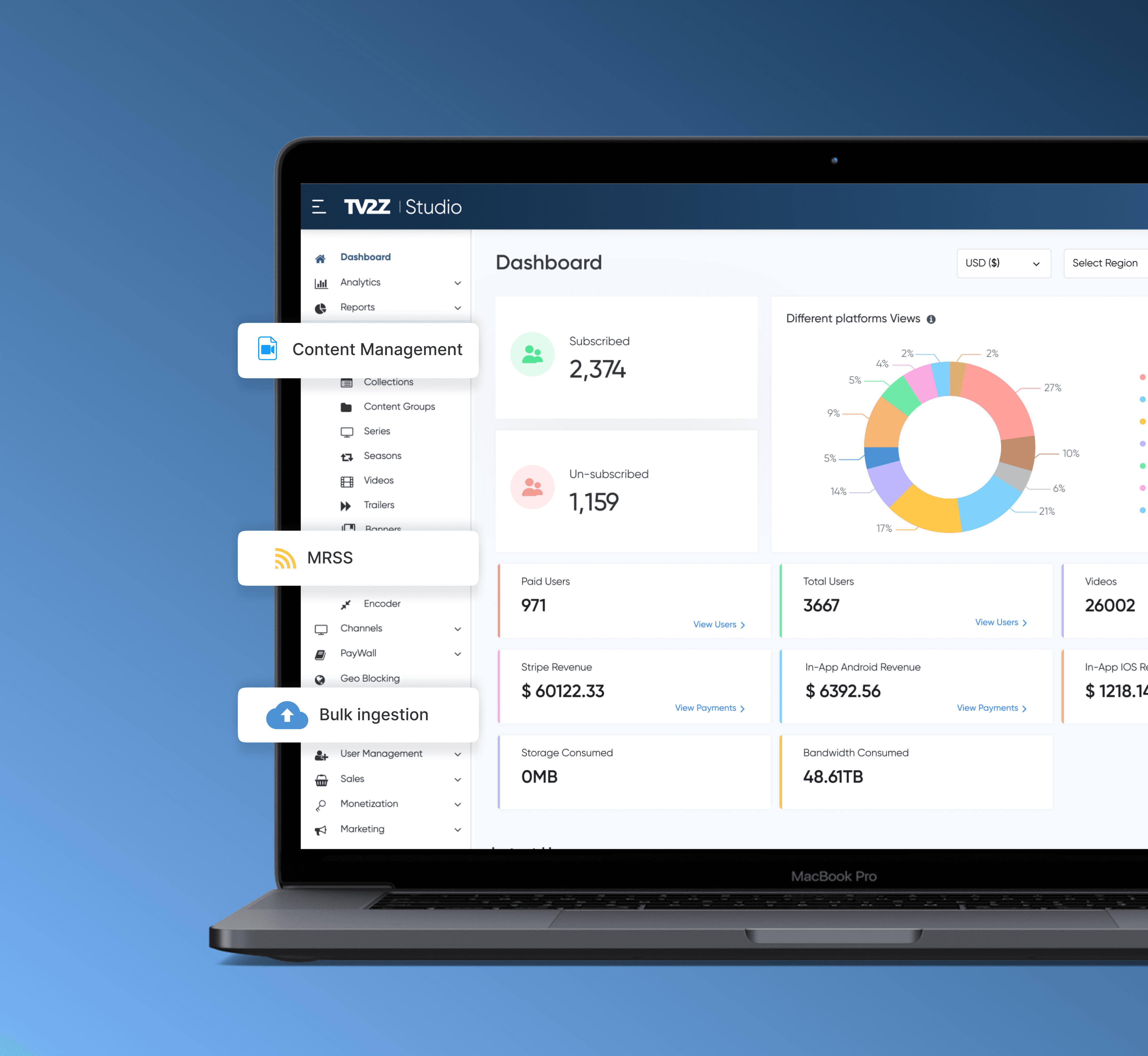
The current dashboard layout was not engaging enough for users. We decided to switch to give it a new look which shows the comprehensive overview of CMS functionalities, which would present information in a more organized and digestible manner, thereby driving better engagement.
Ideation
To improve navigation, we brainstormed several options for how we could structure the CMS dashboard. Option 1 was to keep the current structure but improve the navigation bar. Option 2 was to introduce a sidebar for navigation. Option 3 was to introduce a separate 'Projects' page. Option 4 was to use a dropdown menu for navigation.
After some deliberation, we decided to eliminate Option 4, as we found that it was harder to navigate using a dropdown menu compared to a navigation bar or sidebar. Furthermore, the dropdown menu took up a lot of screen space, making it less scalable.
Goal-2 : Re-organised the Information Architecture for better Navigation
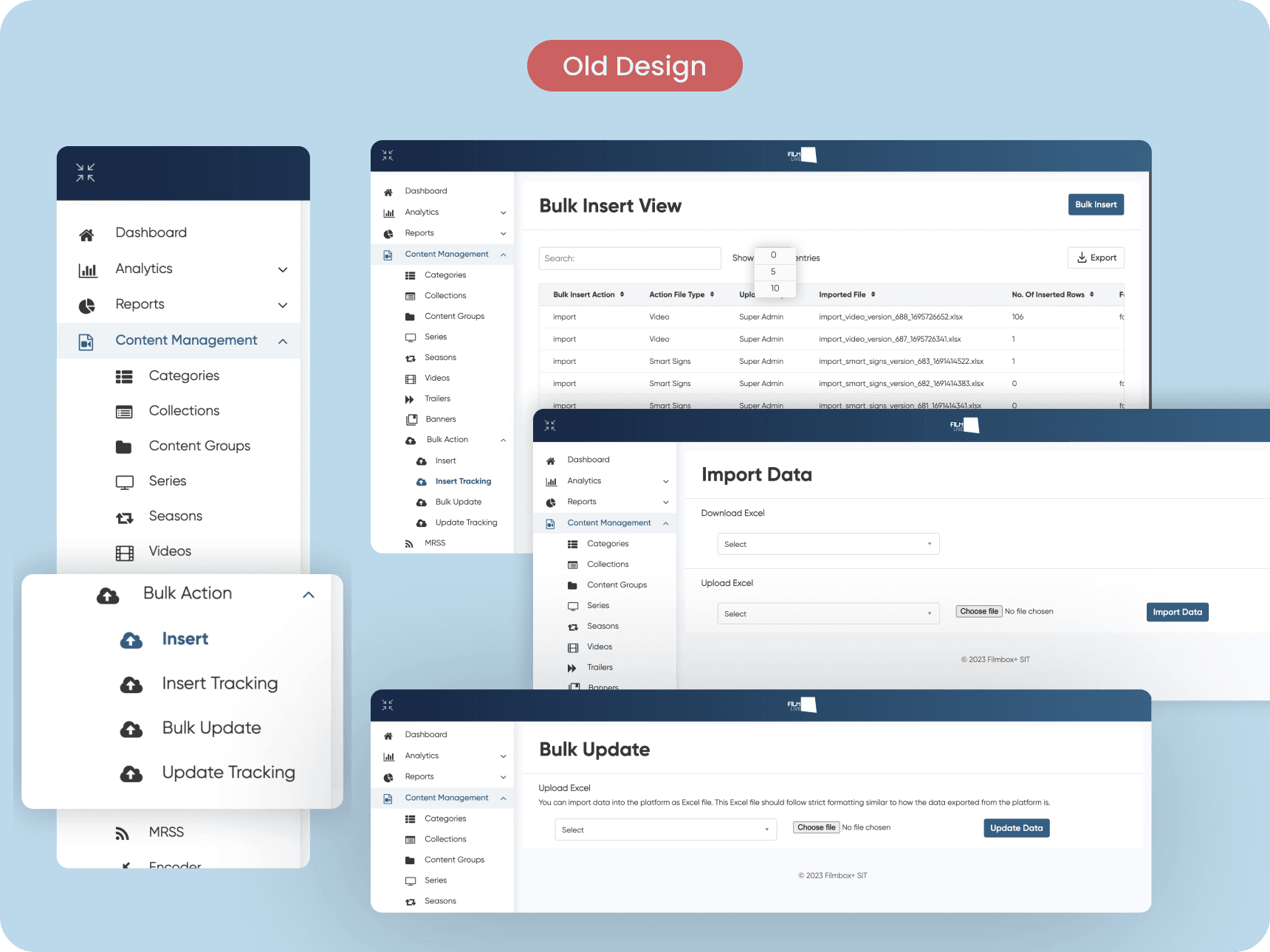
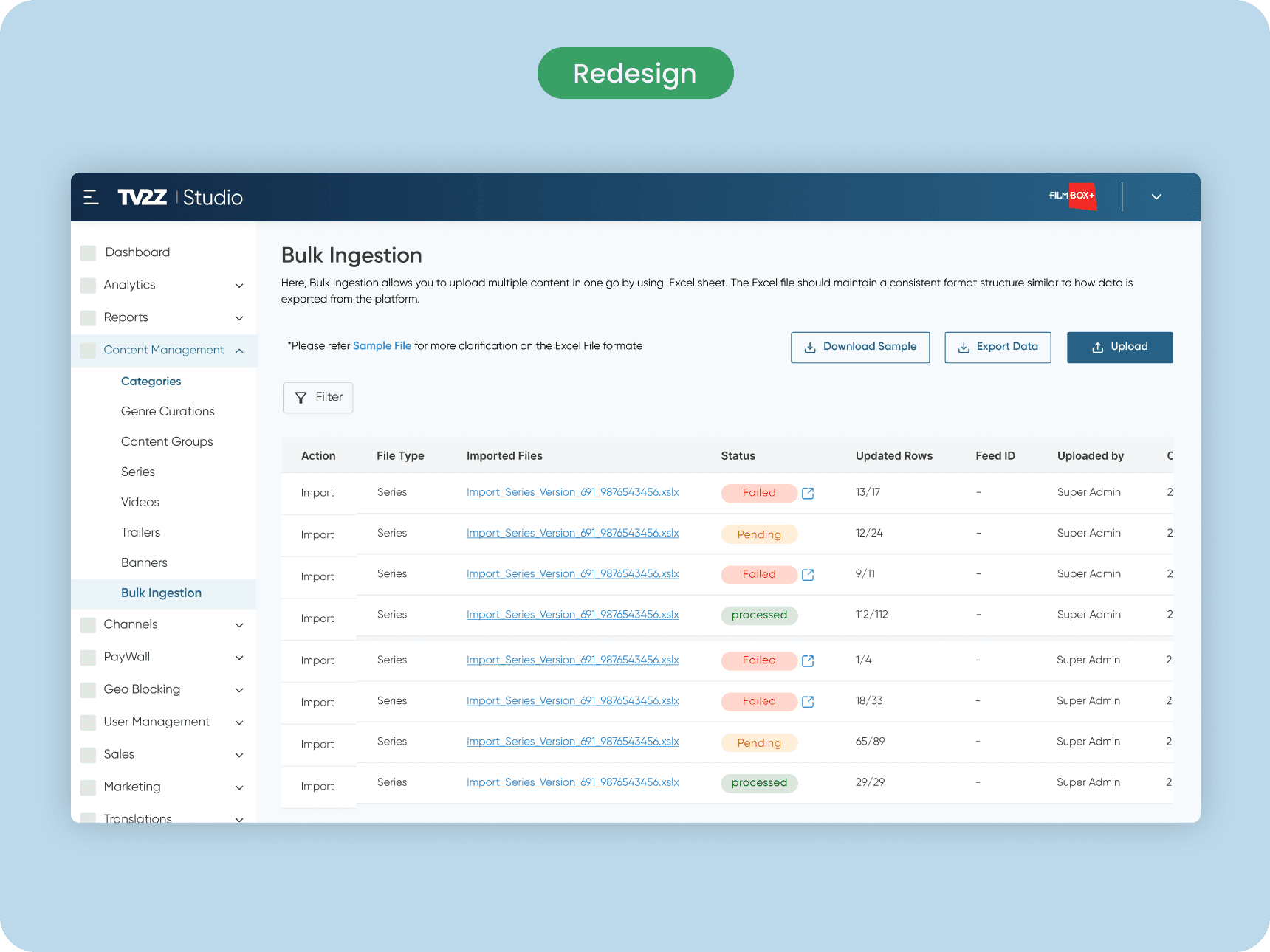
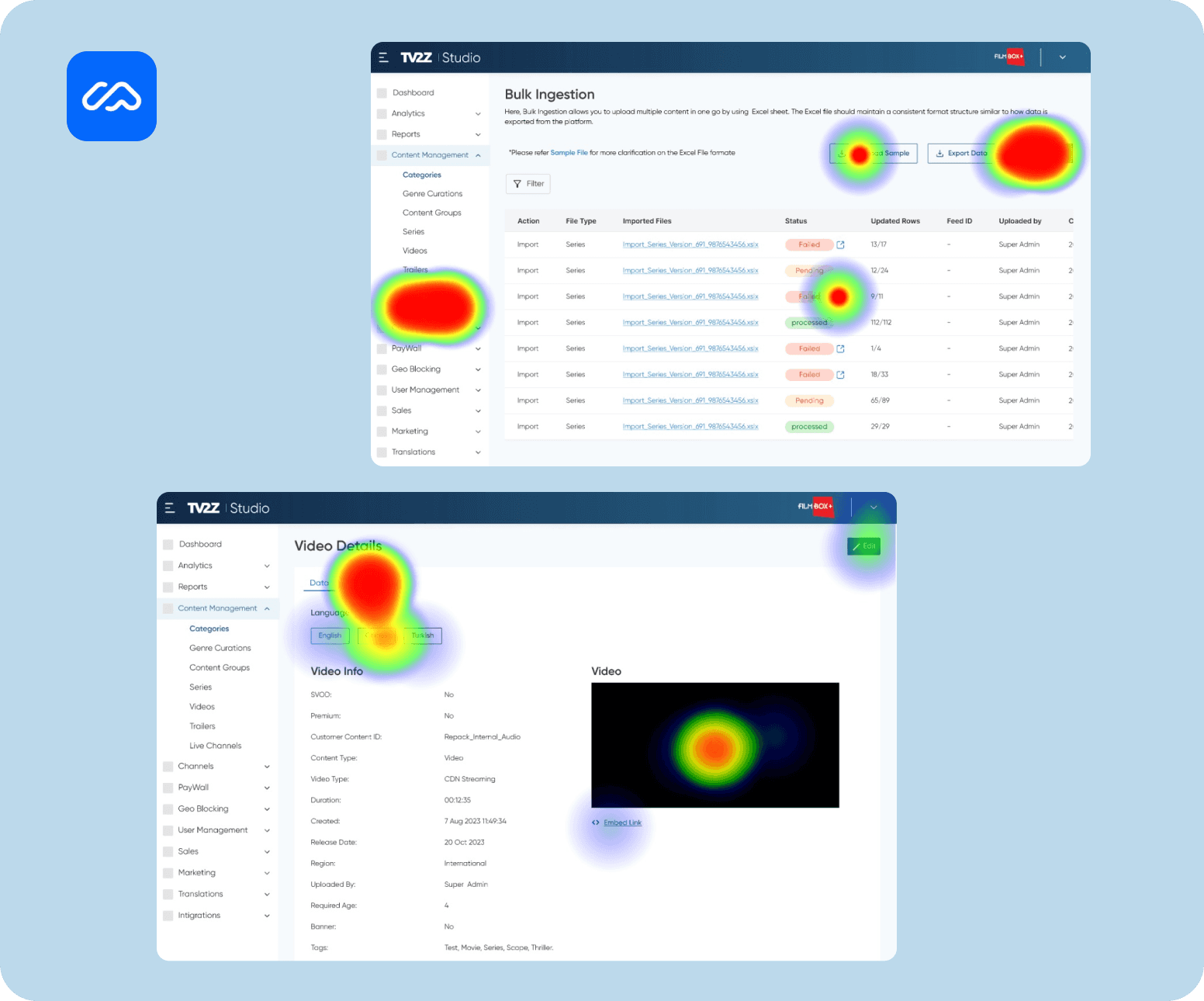
Identified navigation pain points from testing the CMS. The Bulk Ingestion flow was didn’t meet the minimum WCAG guidelines. Ensured emergency response team search critical alert information and visualise quickly in dire situations.Many underlying issues with the placement of the buttons and links since users were struggling with precision. This can be tackled by restructuring the features amongst the tabs.
Goal-3 : Simplify and Engaging User Experience
New users found it hard to navigate and identify the features. To solve this, we planned to place the Tooltips and Help-texts every element throughout the whole journey of our CMS. This would provide users with a clear representation of the features and it helping them manage their time and expectations better.
Ideation
To help new users better understand their journey, we considered several options for presenting the journey. Option 1 was to improve the current elements Option 2 was to use a Tooltips and Help-texts. Option 3 was to provide a description on the to of the page.
After some thought, we decided to go with Option 2, to add Tooltips and Help texts, as it provided a clear and intuitive representation of the user's navigation and use of that particular element.
Goal-4 : Accessibility and inclusivity
To upload 1 or more movies or videos through CMS, users must follow a specific Excel format while uploading content. They need to download a sample file to ensure the right formatting. If the format is wrong, the CMS can't fetch data, causing the upload to fail. Using Excel even for just one movie or video upload is seen as a complex and time-consuming process, which worsens user experience.
Ideation
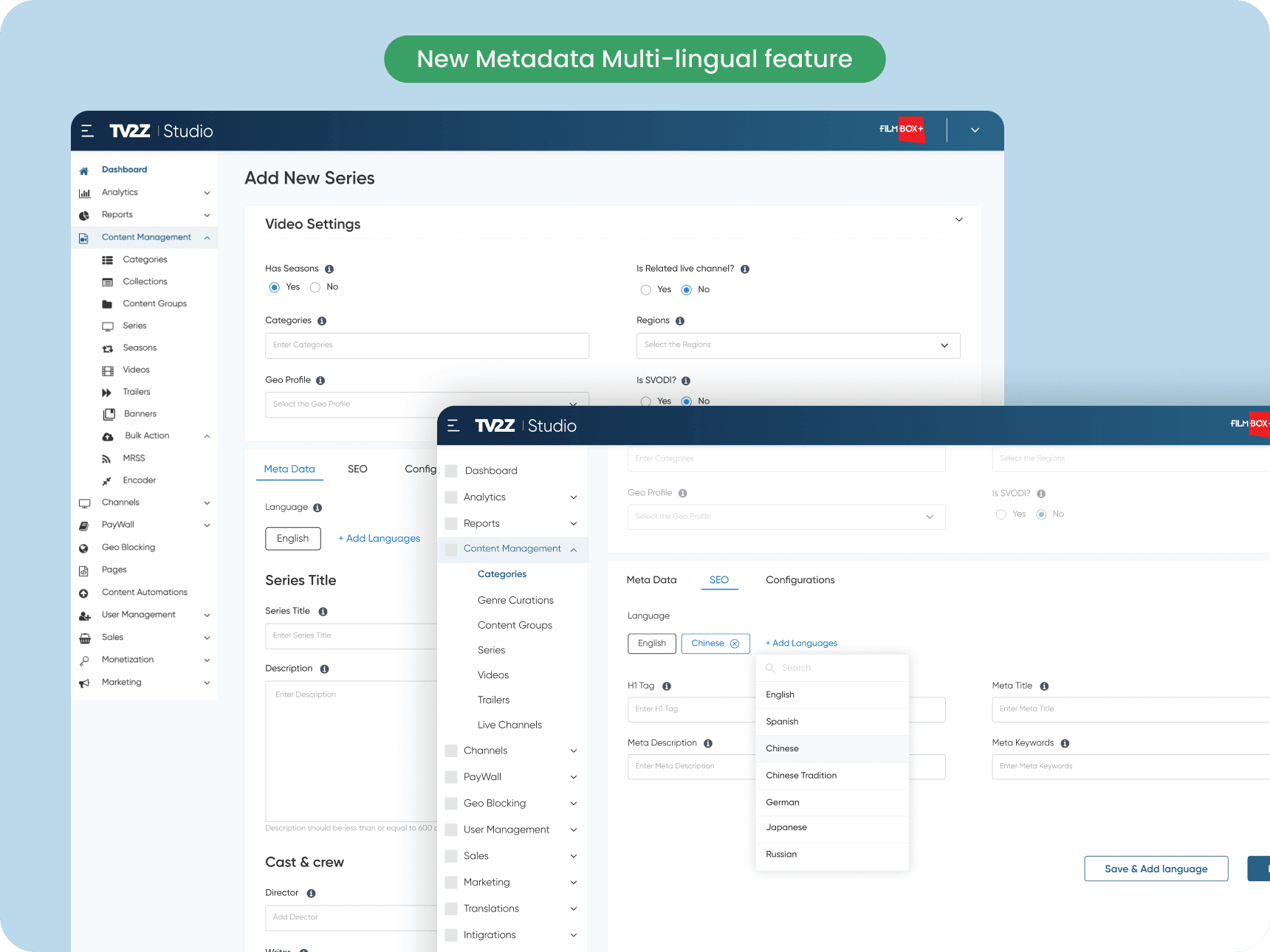
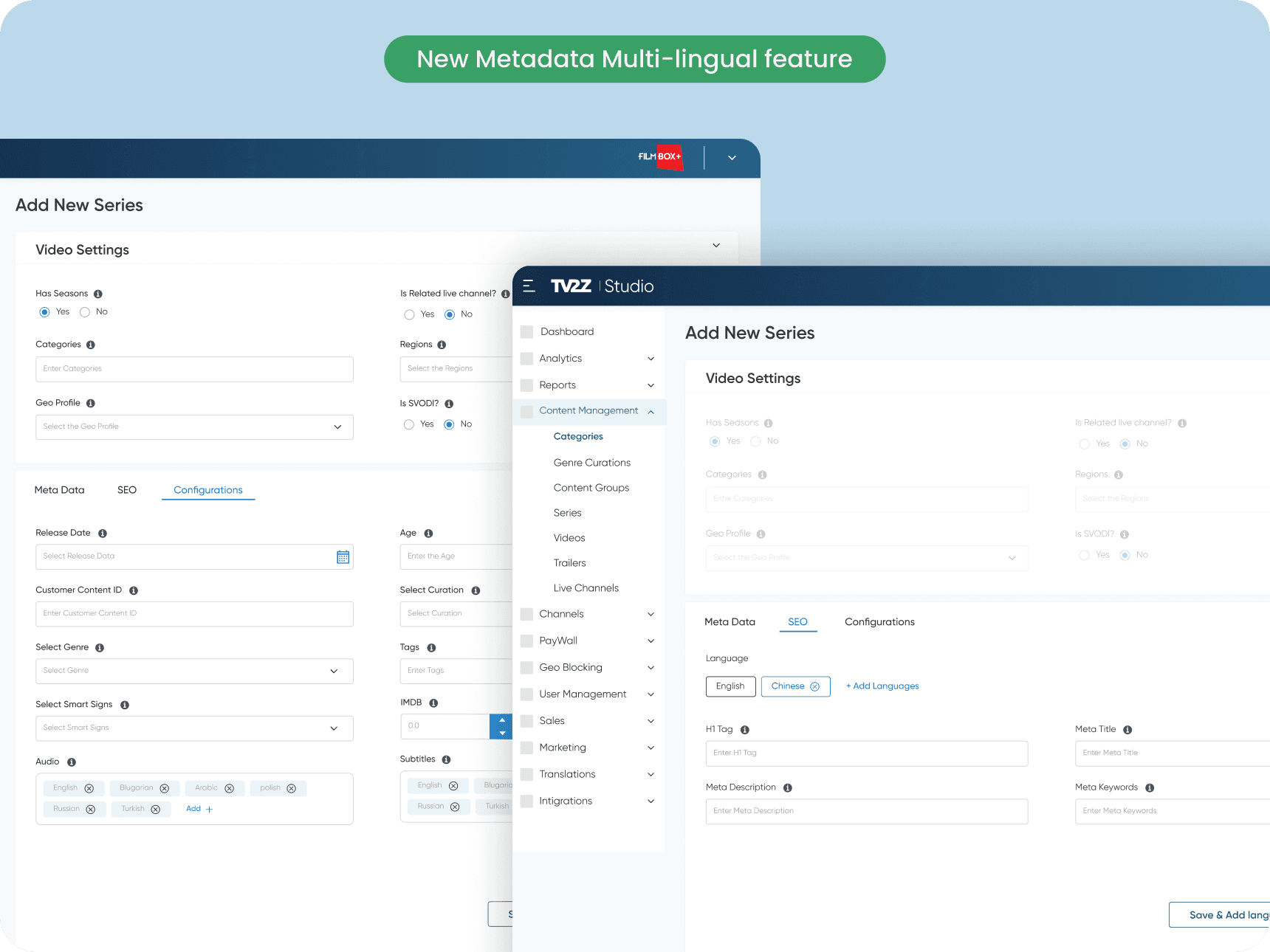
We introduced a new feature called 'Meta data multilingual'. Here, users can now upload a single video in multiple languages, enhancing accessibility and global reach. To facilitate easy navigation and understanding, we've divided the data into three distinct categories, allowing users to effortlessly recognize and manage between dynamic and static content.
User testing results indicates, 30% increase in the speed of video uploads and feedback from the sessions are overwhelmingly indicated that users are highly satisfied with this feature.
Testing in Maze
We conducted testing with 14 participants and received valuable feedback that helped us refine the onboarding process:
Navigation Improvements: Users found the new information architecture and new design language to be significantly more intuitive. The average usability score for the new information architecture was 9.5 out of 10, compared to 5.2 for the old navigation.
Dashboard Improvements: Users found new dashboard and new "Platforms View" pie chart is easy to comprehend and identify. The consolidated view and color-coded indicators significantly enhanced recognition.
Features understanding: The new component elements and tooltips well-received, with new users appreciating the dynamic UX writing. The average usability score for the tooltips was 8.7 out of 10.
Overall User Experience: Participants rated the overall user experience of the new design as 10 out of 10. They commented positively on the aesthetics, intuitiveness, and ease of use of the new design.
💎Learnings
More broadly, the project reinforced the value of user-centric design. The changes we made were not visually drastic, but they significantly improved the user experience.This taught me that impactful redesigns focus on solving the right problems, not just making large-scale changes.
Expanding My Knowledge and Gaining a Thorough Understanding of the Domain.
Project allowed me to explore product strategies in CMS, with features like Bulk Injestion, Meta Data Multi-lingual and weekly checklists enhancing user engagement.
Learn’t navigating the Challenges and Rewards of Independent Design Work.
Understanding the Vital Role of User Interface in Design and User Experience
As a result, I learnt various ways of converting user experience to business value and using an end-to-end thinking process to solve problems.
I am always happy to discuss new ideas and opportunities.
Crafted with love by Sai vamshi